
Building a Read-Only MCP Pilot for E-commerce Inventory
A practical guide to a read-only MCP inventory pilot: define the question, connect trusted data, limit tool access, and test the results before rollout.

- 7 Min Read
- Sep 23, 2026
- 8 Views
An MCP inventory pilot should answer a real operational question before it attempts to automate anything. A useful starting point is: Which products have more stock on hand while sales are slowing? A merchandising or operations lead can investigate the answer, check the underlying figures, and decide what to do. The assistant should not change prices, reorder stock, or update listings during this first test.
This guide shows how to scope a read-only MCP inventory pilot around that question. It assumes you already have order and inventory data in a commerce platform, warehouse system, or reporting layer. If you need an introduction to the protocol first, read our overview of Model Context Protocol for e-commerce integrations.
Start with one decision, not a broad AI assistant
“Show me underperforming stock” sounds simple, but different teams may mean different things. Agree on the definitions before building a tool. For example:
- Sales: units sold in the last 28 complete days versus the preceding 28 days, excluding cancelled orders and accounting for returns under an agreed rule.
- Stock: available-to-sell units at a specified warehouse or across approved locations, excluding reserved units if the source system reports them separately.
- Candidate product: a SKU or variant whose current available stock exceeds a chosen threshold while recent unit sales have declined by a chosen percentage.
- Scope: one storefront or business unit first, with an explicit list of sales channels and warehouses.
These are example definitions, not universal defaults. A fashion retailer may need to group size variants for a buying decision while retaining variant-level quantities for fulfilment. A marketplace seller may need to separate its own inventory from third-party stock. Record those choices so the assistant does not silently mix unlike numbers.
Where MCP fits in the inventory workflow
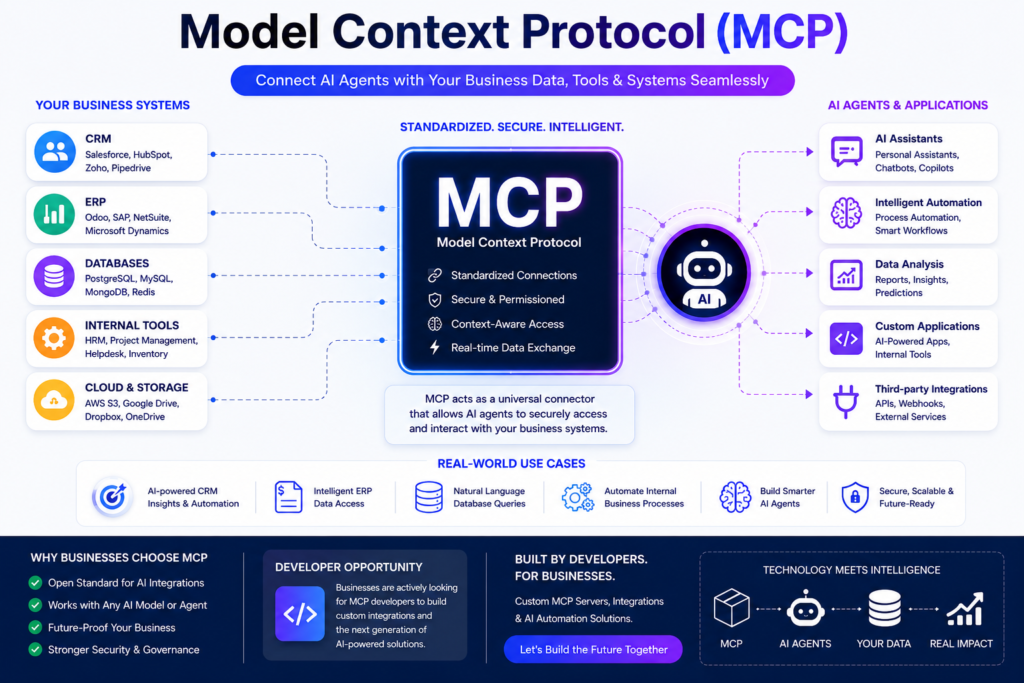
Model Context Protocol (MCP) lets an AI application discover and call capabilities exposed by an MCP server. The official architecture documentation describes the host, client, and server roles, including tools that a server makes available. In this pilot, an assistant is the host, its MCP client calls a narrowly defined tool, and the server retrieves results from an existing reporting API or commerce middleware.
Example flow: operations user asks a question → assistant calls a read-only MCP tool → the tool queries an approved reporting service → the service combines inventory and order data → the assistant returns a short list with source timestamps and links to the underlying records.
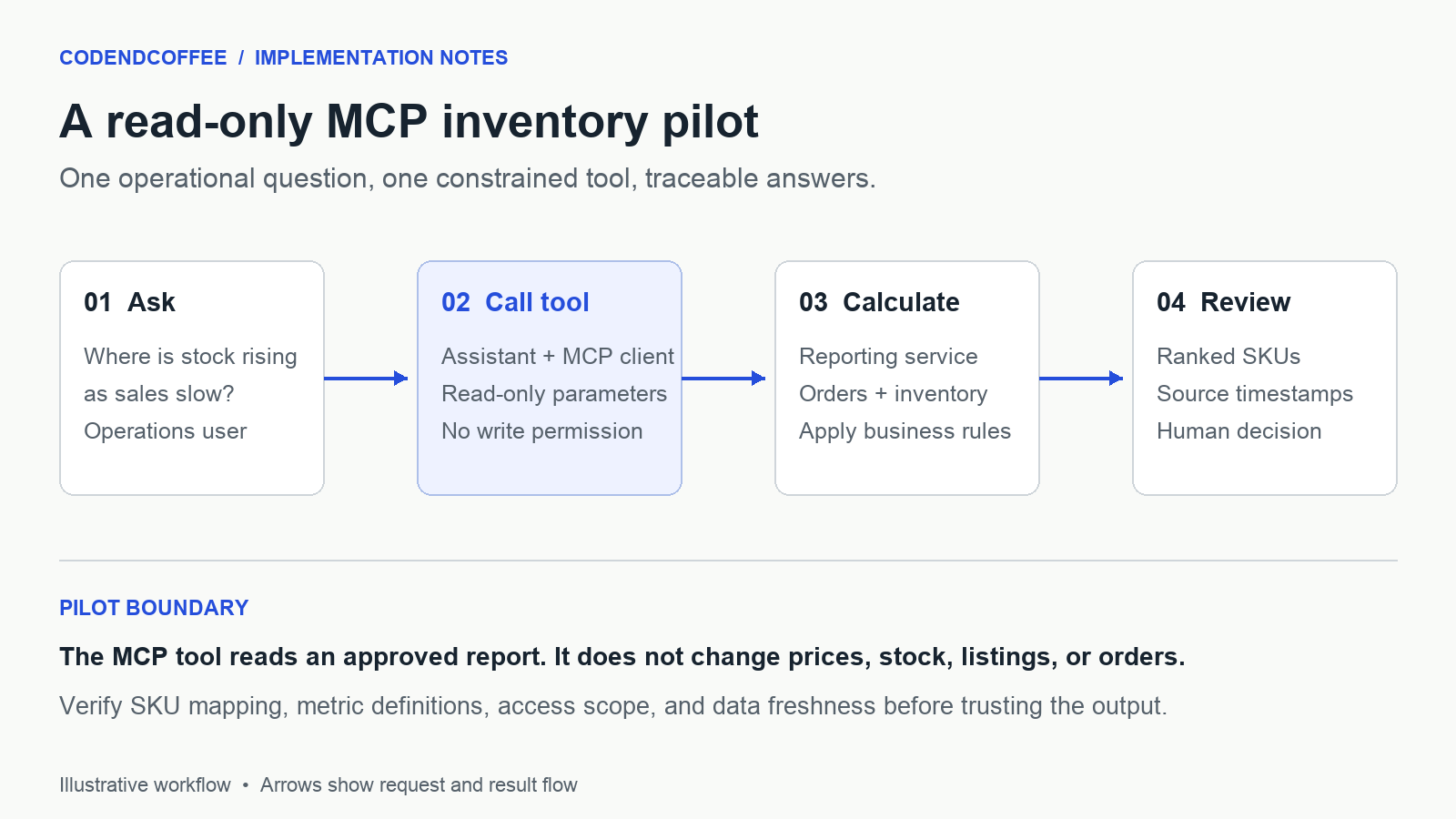
MCP provides the interface between the assistant and the tool. It does not reconcile SKUs, repair stale feeds, define business metrics, or replace the integrations that move product, order, and stock data between systems. Those responsibilities remain in the data and middleware layer.
Design one tool with a clear contract
A pilot does not need a general-purpose query tool. A constrained tool such as find_inventory_exceptions is easier to secure and test. It might accept a date window, permitted warehouse, minimum available units, minimum sales decline, and maximum number of results. The server should validate ranges and apply account-level access controls rather than trusting the assistant’s arguments.
A useful result for each SKU would include:
- stable SKU and variant identifiers, product name, and channel or warehouse scope;
- available units and the inventory snapshot time;
- units sold in each comparison period and the calculation used for the change;
- return and cancellation treatment, plus any data-quality warning;
- a link to the product or report where a person can verify the result.
For example, an illustrative result might say: “SKU A-104, 42 available units as of 09:00 UTC; 8 units sold in the latest 28 days versus 15 in the previous 28; warehouse EU-1; returns excluded.” Those numbers are an example of output format, not a CodeNdCoffee client result. The assistant should be able to explain why the item appears without inventing a cause for the sales change.
If the data set is large, calculate and rank the exceptions in the reporting service. Return a bounded result set to the assistant instead of exposing unrestricted database access or entire order histories.
Check the data before exposing the tool
Product identity and channel scope
Confirm how the catalog, storefront, marketplaces, and warehouse system identify the same sellable variant. SKU reuse, bundles, duplicate marketplace orders, and products with multiple barcodes can make a plausible-looking result wrong. Document the join key and the exceptions it cannot resolve.
Inventory and sales timing
Choose a single time zone for comparison windows and show when each source last updated. Decide whether available stock means physical stock, stock after reservations, or a platform-calculated figure. A delayed warehouse feed can make yesterday’s orders appear to be an inventory imbalance. If freshness falls outside the agreed limit, the tool should label the result stale or withhold it.
Metric definitions
Separate units sold from revenue. Refunds, partial returns, cancelled orders, and backorders affect them differently. If products sell in both the US and Europe, avoid aggregating revenue across currencies without a defined conversion method. For this pilot, unit counts may be the cleaner first metric.
These checks are where e-commerce middleware matters: a stable, documented reporting layer can give the MCP tool consistent data even when the underlying platforms use different field names and update schedules.
Keep access read-only and auditable
Give the MCP server only the data access required for this question. Keep write operations, order-level personal data, and unrelated catalog fields outside the tool. Enforce tenant, store, and warehouse boundaries in the backend; a prompt instruction alone is not an access control. Log tool calls, parameters, execution time, data-source version or timestamp, and errors without exposing credentials or unnecessary customer data.
Authentication and authorization depend on the deployment architecture. Review the MCP security guidance alongside your platform’s own identity and data-protection requirements. In particular, verify that credentials are scoped to the intended service and that downstream systems do not accept an assistant’s claimed identity without server-side checks.
The assistant can suggest a review action, such as checking a listing, promotion, or purchase order. A person should approve any commercial change. If the pilot later gains write tools, treat that as a separate design and approval decision.
Test the answer against known cases
Before asking users to rely on the pilot, compare its output with a trusted report for a small set of SKUs. Include cases that often fail quietly:
- a product with no sales in one comparison window;
- a returned or cancelled order;
- a size variant whose parent product has other selling variants;
- a bundle or SKU mapping exception;
- a stale inventory snapshot or missing warehouse feed;
- a user who should not see a particular store or warehouse;
- a large query that reaches a result limit or times out.
For each case, check the figures, explanation, source link, and behavior when data is incomplete. The right answer may be “data unavailable” rather than a confident list.
Decide whether the pilot earned a wider rollout
Measure the pilot against its original operational question. Track how often results match the trusted report, how many candidate SKUs are excluded for missing data, how long a query takes, and how often staff correct the assistant’s explanation. Ask users whether the list helps them decide what to investigate; do not equate a fast answer with a useful one.
Agree on pass criteria before the test. If results are unreliable because SKU mapping or stock freshness is weak, improve the underlying data pipeline first. If the read-only tool is accurate and useful, the next step could be additional questions—such as identifying products with high return rates or stock stranded in one location—each with its own metric definitions and access boundary.
CodeNdCoffee works on the commerce systems behind this kind of pilot, including integrations and operational data flows. Our luxury resale operations case study shows related catalog and inventory workflow work; it is not presented as an MCP implementation. If you are assessing whether your data can support a narrow pilot, talk with us about the systems and question you want to test.
Enjoyed this article?
Share it with your network